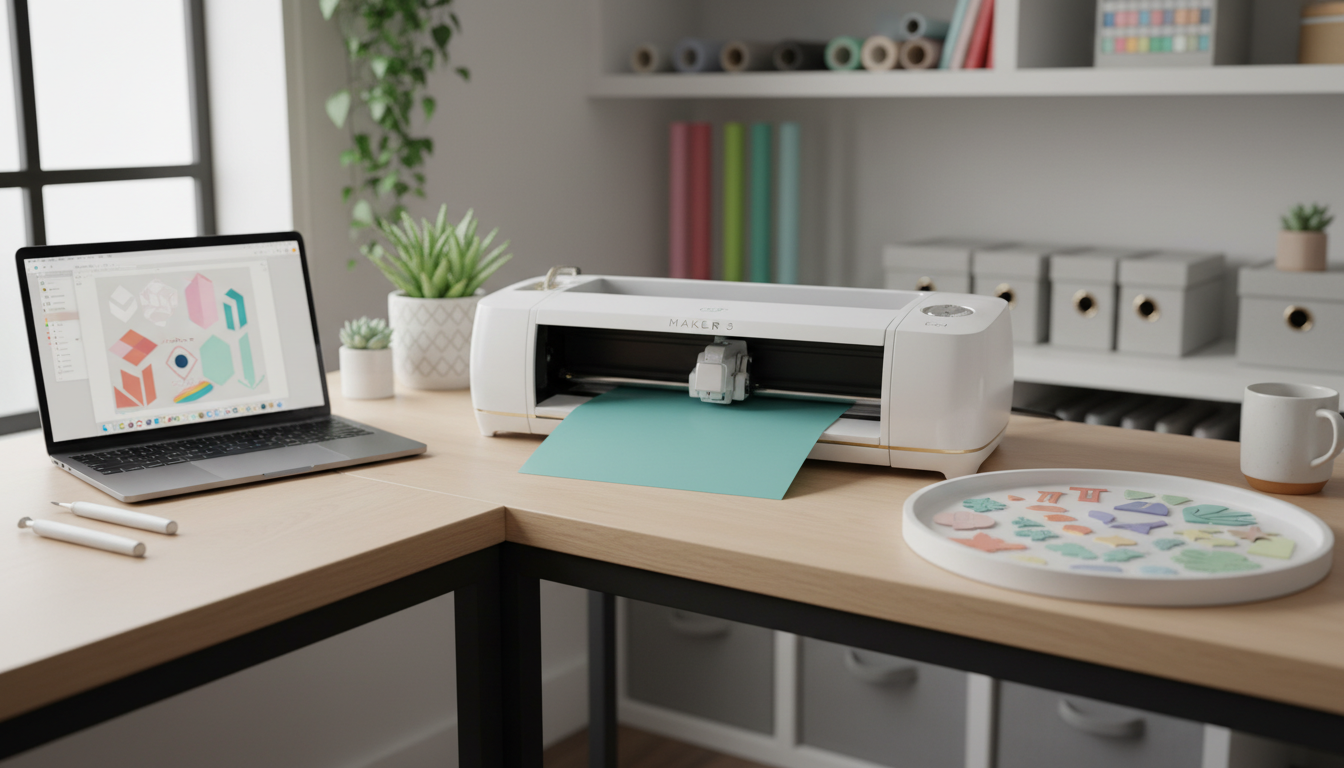
The Cricut Maker 3 is the most powerful consumer cutting machine you can buy right now, but that does not automatically make it the best Cricut for beginners. After evaluating the machine across ease of use, material versatility, software learning curve, and long-term value, here is the honest verdict:
The Cricut Maker 3 is a capable machine, but most beginners will get more value starting with the original Cricut Maker at nearly half the price. Upgrade to the Maker 3 only if matless cutting and faster speeds matter to you from day one.
What the Cricut Maker 3 Actually Is
The Cricut Maker 3 is a smart cutting machine that uses interchangeable blades and tools to cut over 300 materials: vinyl, iron-on, cardstock, fabric, leather, balsa wood, and more than 300 other materials. It connects to your computer or phone via Bluetooth and uses Cricut Design Space software to send designs to the machine.
The "3" in the name marks the third generation. The key upgrades over the original Cricut Maker include 2x faster cutting speed and the ability to cut Smart Materials without a cutting mat. Everything else (the Adaptive Tool System, the 10X cutting force compared to the Explore line, the rotary blade for fabric) carries over from the original Maker.
The Cricut Maker 3 typically costs between $369 and $399, though bundles with materials and tools can push that to $450 or more. The original Maker, by comparison, regularly sells for $239 or less.
What We Liked About the Cricut Maker 3
Matless Cutting Saves Real Time
The standout feature of the Maker 3 is matless cutting with Cricut Smart Materials. You feed a long roll of Smart Vinyl or Smart Iron-On directly into the machine without loading a mat first. For anyone doing batch projects (think 50 custom stickers for an Etsy shop or labels for a wedding), this shaves minutes off every single cut.
Smart Materials come in rolls up to 75 feet long, which means you can queue up large jobs without stopping to reposition material on a mat. If you plan to sell crafts or do high-volume projects, this feature alone justifies the upgrade.
The Adaptive Tool System Is Genuinely Impressive
The Maker 3 inherits the Adaptive Tool System from the original Maker, and it remains the best reason to choose a Maker over an Explore. The system uses interchangeable tool heads: a rotary blade for fabric, a knife blade for thick materials like balsa wood and leather, a scoring wheel for crisp fold lines, and the standard fine-point blade for vinyl and paper.
No other consumer cutting machine matches this versatility. The rotary blade, in particular, cuts fabric without a backer, which saves hours compared to cutting with scissors or a rotary cutter and ruler.
300+ Materials Is Not Marketing Fluff
We have seen machines that claim huge material compatibility but struggle with anything beyond paper and thin vinyl. The Maker 3 genuinely delivers here. It handles:
- Vinyl and iron-on (the most common beginner materials)
- Cardstock and paper (up to poster board thickness)
- Fabric (cotton, felt, denim, silk, with the rotary blade)
- Leather and faux leather (with the knife blade, multiple passes)
- Balsa wood (up to 3/32 inch thick)
- Craft foam, chipboard, and acetate
For beginners who want to explore multiple crafts without buying separate tools for each, the material range is a genuine advantage.
Build Quality Feels Premium
The Maker 3 feels solid. The machine body is sturdy, the tool clamp has a satisfying click, and the rollers feed material smoothly. It does not feel like a toy, which matters when you are spending $370 or more. The power cord is thick and the Bluetooth connection is reliable within about 15 feet.
What We Did Not Like
Cricut Design Space Has a Learning Curve
This is the elephant in the room for every Cricut machine, not just the Maker 3. Cricut Design Space is the required software for designing and sending cuts, and it frustrates beginners regularly.
The interface is not intuitive. Operations like welding text, attaching layers, and understanding the difference between "flatten" and "group" trip up new users for weeks. The software runs as a desktop app and a mobile app, but the mobile version lacks features. Cloud saves are sometimes slow, and the app occasionally crashes mid-project.
Cricut has improved Design Space over the past year, but it remains the weakest link in the Cricut ecosystem. Be prepared to spend time on YouTube tutorials before your first real project. Search for "Cricut Design Space for beginners" and budget a weekend of learning.
Smart Materials Cost More Than Standard Materials
Matless cutting sounds great until you price out Smart Materials. Smart Vinyl costs roughly 30% to 50% more per foot compared to standard vinyl that you load on a mat. Smart Iron-On carries a similar premium.
For beginners who are still experimenting and likely to make mistakes, the cheaper standard materials (which work perfectly fine on the Maker 3 with a mat) make more financial sense. You can always switch to Smart Materials later when your skills improve and you want the speed boost.
The Price Gap Over the Original Maker Is Hard to Justify
Here is the core question for beginners: is the Maker 3 worth $130 to $160 more than the original Maker?
The original Cricut Maker has the same Adaptive Tool System, the same 10X cutting force, and cuts the same 300+ materials. It just does it slightly slower and requires a mat for every cut. For a beginner making one or two projects per week, the speed difference is negligible. The matless cutting is convenient but not essential.
That $130 saved on the machine buys a lot of starter materials, extra blades, and mats, all of which a beginner needs anyway.
You Will Spend More Than the Machine Price
No one mentions this enough: the Cricut Maker 3 is just the beginning of the spending. You will need:
- Cutting mats (standard grip, light grip, fabric grip): $8 to $14 each
- Blades (fine-point, deep-point, rotary, knife): $10 to $30 each
- A basic tool set (weeder, scraper, spatula, scissors, tweezers): $15
- Materials (vinyl, iron-on, cardstock): $8 to $20 per roll or pack
- An EasyPress or iron for heat transfer vinyl: $50 to $170
- Cricut Access subscription for design templates: $7.99/month (optional but helpful for beginners)
A realistic "getting started" budget is $500 to $600 total, not just the machine price. Factor this in before buying.
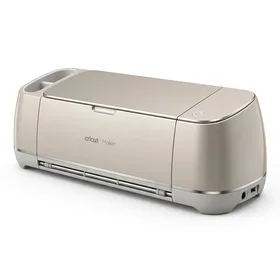
Cricut Maker Smart Cutting Machine
Best for: Best value Maker for beginners who want full material versatility
The original Maker offers 95% of the Maker 3 experience at a significantly lower price, making it the smarter starting point for most beginners.
The Essential Accessories Every Beginner Needs
Regardless of whether you choose the Maker 3 or the original Maker, you will need a few accessories from day one. These are not optional extras. They are required to complete your first project.
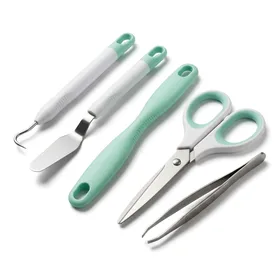
Cricut Basic Tool Set (5-Piece Precision Kit)
Best for: Essential starter tool set for every Cricut owner
You cannot do Cricut projects without these tools. At under $15 with a near-perfect rating, this is a mandatory first purchase.
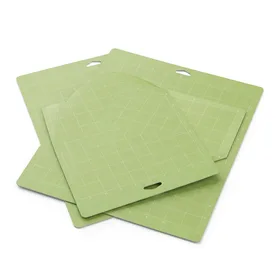
Cricut Standard Grip Cutting Mat (12x12, 2-Pack)
Best for: The mat you will use for 80% of beginner projects
Standard grip mats are the workhorse of Cricut crafting. Buy at least two packs so you are never stuck waiting for a clean mat.
For Iron-On and HTV Projects
If you plan to make custom t-shirts, tote bags, or baby onesies (and most beginners do), you will need heat transfer vinyl and something to press it with.
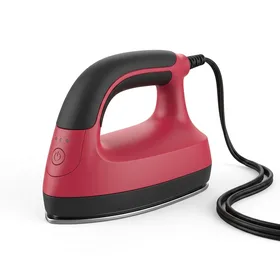
Cricut EasyPress Mini
Best for: Affordable heat press for small items and beginners
A great entry point for heat transfer projects. Upgrade to the full EasyPress 2 once you confirm you enjoy making custom apparel.
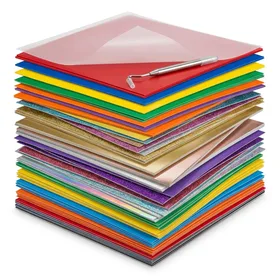
JANDJPACKAGING Heat Transfer Vinyl Bundle (25 Pack)
Best for: Best starter HTV bundle for experimenting with colors
The most cost-effective way to stock up on HTV colors when you are still learning. Much cheaper than buying Cricut-brand iron-on.
Third-party heat transfer vinyl like JANDJPACKAGING and HTVRONT consistently scores 4.6 to 4.7 stars across tens of thousands of reviews, matching or exceeding Cricut-brand HTV at roughly half the price per sheet.
Cricut Maker 3 vs. the Original Maker: Side by Side
This comparison is the decision most beginners actually face. The Maker 3 gets all the marketing attention, but the original Maker remains available and substantially cheaper.
The original Maker wins for beginners because it delivers the same core capabilities at a lower price. The Maker 3 is the better machine objectively, but the upgrades (speed, matless cutting) benefit experienced crafters doing volume work more than beginners making their first vinyl decal.
What About the Cricut Explore 3?
Some beginners wonder if they should skip the Maker line entirely and start with the more affordable Cricut Explore 3 (around $249 to $279). The Explore 3 offers matless cutting with Smart Materials and solid performance with vinyl, iron-on, and cardstock.
The trade-off: the Explore 3 lacks the Adaptive Tool System. No rotary blade for fabric, no knife blade for leather and wood. If you know you only want to cut vinyl and paper, the Explore 3 is a perfectly fine choice. But if there is any chance you will want to cut fabric or thicker materials in the future, starting with a Maker saves you from buying a second machine later.
Cricut Maker 3 vs. Silhouette Cameo 4
The Silhouette Cameo 4 is the other major option in this price range, typically selling for $250 to $300. Silhouette's software (Silhouette Studio) is generally considered more powerful and flexible than Cricut Design Space, with better support for importing SVG files and more advanced design tools built in.
However, the Cameo 4 cannot match the Maker 3's material versatility. It lacks a true rotary blade for fabric cutting, and its maximum cutting force is lower. For vinyl and paper projects, the Cameo 4 is competitive. For mixed-material crafting, the Maker line has a clear edge.
Who Should Buy the Cricut Maker 3
The Maker 3 is the right choice if you meet at least two of these criteria:
- You plan to sell crafts on Etsy or at local markets (volume matters)
- You already know you want to cut fabric regularly (quilting, sewing patterns)
- You value time savings and will use matless cutting frequently
- Your budget comfortably accommodates $500+ total (machine plus accessories and materials)
- You have some crafting experience and will not be overwhelmed by the learning curve
Who Should Buy the Original Cricut Maker Instead
The original Maker is the better starting point if:
- You are completely new to cutting machines
- You want to explore multiple materials without committing $400 upfront
- You plan to craft as a hobby, not a business
- You would rather spend the $130 savings on materials and tools
- You are not sure you will stick with it long-term
Tips for Getting Started
If you do purchase any Cricut Maker, here are a few things that will make your first week smoother:
-
Start with vinyl, not fabric. Adhesive vinyl is the most forgiving beginner material. Cut a simple shape, weed it, and transfer it to a mug or water bottle. The instant gratification builds confidence.
-
Watch tutorials before unboxing. Search "Cricut Design Space for beginners" on YouTube and watch at least two full walkthroughs before you open the box. Understanding the software first prevents frustration.
-
Buy third-party materials. Cricut-brand vinyl and iron-on work well, but third-party options from HTVRONT and JANDJPACKAGING deliver comparable quality at 40% to 60% less. Use Cricut materials for your first project (they come in starter bundles), then switch to save money.
-
Join the community. The Cricut subreddit, Facebook groups, and YouTube crafting channels are full of beginners sharing tips, troubleshooting problems, and posting project ideas. You do not have to figure everything out alone.
-
Do not subscribe to Cricut Access immediately. The $7.99/month subscription gives you access to thousands of pre-made designs and fonts. But when you are learning, you will spend most of your time on simple shapes and text. Wait until you feel limited by free designs before subscribing.
The Cricut Maker and Maker 3 both see significant discounts during Amazon Prime Day (July) and Black Friday (November). If you can wait, savings of $50 to $100 on the machine are common during these events. The Cricut Maker 3 Black Friday deal typically drops it to the $279 to $299 range.
The Bottom Line
Is the Cricut Maker 3 worth it? Yes, it is a genuinely excellent machine. Is it worth it specifically for beginners? That depends on your budget and ambitions.
If you have $500 or more to invest and plan to craft frequently (or sell your work), the Maker 3 delivers real quality-of-life improvements with matless cutting and faster speeds. But if you are testing the waters and want the best value entry point into the Maker ecosystem, the original Cricut Maker at $239 gives you the same core capabilities for roughly $130 less.
Either way, the Maker line is the best Cricut for beginners who want room to grow. The Adaptive Tool System means you will never outgrow the machine, even as your skills advance from simple vinyl decals to fabric cutting, leather work, and beyond.