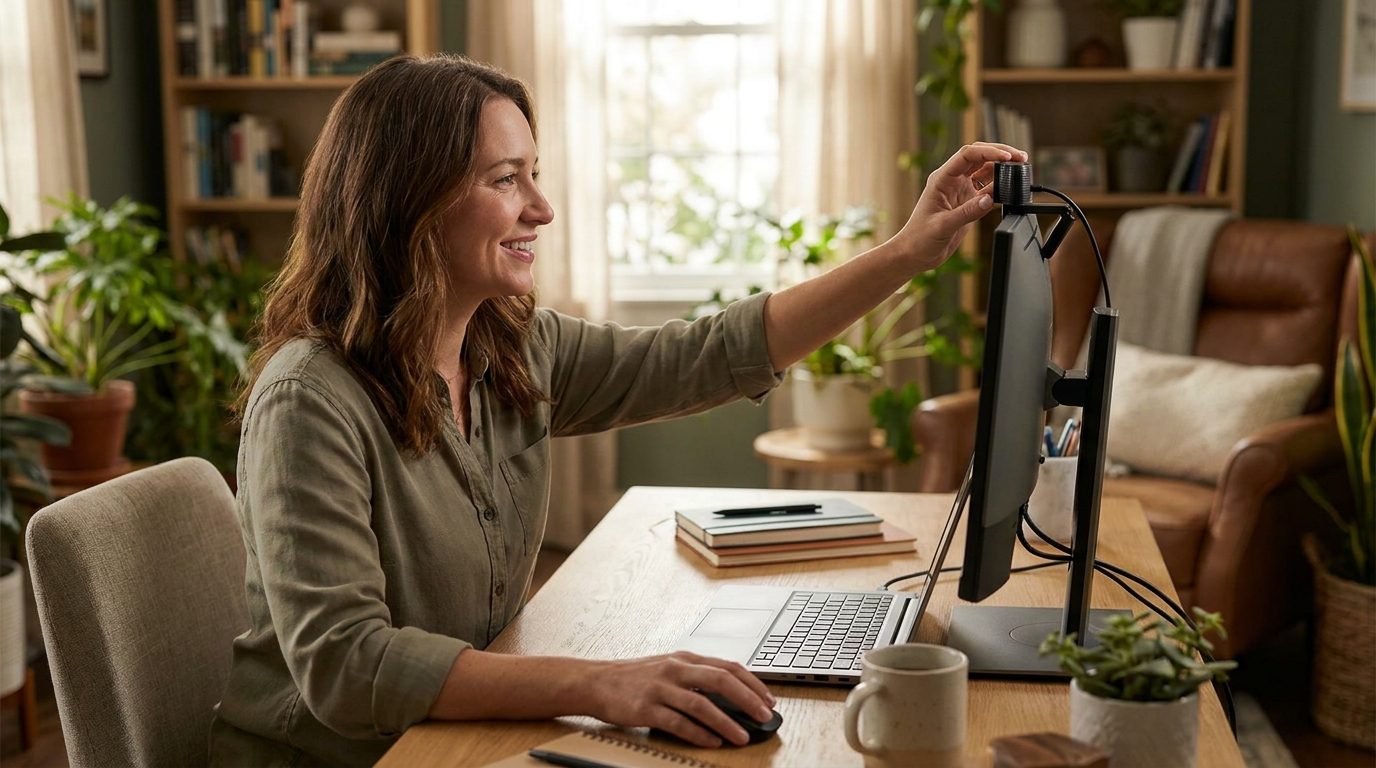
Your laptop camera is almost certainly terrible. The tiny sensor crammed above your display produces a grainy, washed-out image that makes you look like you are joining calls from 2012. A dedicated webcam fixes that problem for as little as $20, and the best options deliver 1080p clarity with built-in microphones that sound better than most headset mics.
We compared 15 webcams across resolution, low-light performance, microphone quality, mounting flexibility, and price to find the best webcam in 2026 for remote workers, freelancers, and anyone who spends more than a few hours per week on video calls. Here are the six that earned a spot on this list.
How We Picked the Best Webcams for Work From Home
Every webcam on this list was evaluated against five criteria that matter most for remote work.
Resolution and image quality. All of our picks shoot at 1080p or higher. At this point in 2026, there is no reason to settle for 720p when full HD webcams start under $20. We also weighted low-light performance heavily because most home offices rely on overhead lighting that creates unflattering shadows.
Microphone quality. A surprisingly large number of remote workers rely on their webcam microphone rather than a dedicated headset. Star ratings and review counts across thousands of buyers show which webcams hold up on clarity, background noise and keyboard clatter during calls.
Build quality and mounting. A webcam that slides off your monitor mid-presentation is not worth any price. We prioritized sturdy universal clips that grip both thin laptop lids and thick monitor bezels without wobbling.
Privacy features. Physical privacy covers or shutters matter. Software solutions can fail, but a plastic slider over the lens cannot be hacked. Four of our six picks include a built-in privacy cover.
**Value for the price.**The ratings and review counts tell you which webcams have held up across thousands of buyers, so you can see where the price sits relative to that track record. The best webcam under $100 should deliver 1080p video, decent audio, and reliable build quality without any compromises that would send you shopping again within a year.
1. Logitech C920x HD Pro: Best Overall Webcam in 2026
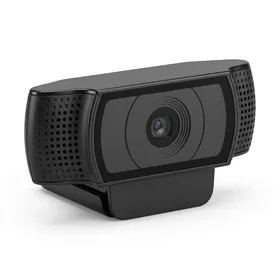
Logitech C920x HD Pro Webcam
Best for: Best overall webcam for most remote workers
The C920x is the webcam to beat under $100. It delivers the image quality, microphone clarity, and build reliability that 90% of remote workers need, with a privacy shutter the original C920 lacks.
The Logitech C920x is the updated version of the most popular webcam ever made, and it earns the top spot for good reason. At $69.99, it sits at the sweet spot where you get genuinely good 1080p video without paying for features most remote workers will never use.
The dual stereo microphones are a standout. They pick up your voice clearly from up to three feet away while doing a respectable job of filtering out background noise like air conditioning hum or a dog barking in the next room. You will not need a separate microphone for standard Zoom, Google Meet, or Teams calls.
Where the C920x separates itself from the older C920 is the built-in privacy shutter. A simple slider covers the lens when you are not on a call. No stickers, no aftermarket covers, no worrying about whether your camera is actually off. For anyone who values privacy (which should be everyone), this feature alone justifies the $1.99 premium the C920x now carries over the original C920.
The one area where the C920x shows its age is the 30fps cap. You will not get buttery smooth 60fps video, which matters for streamers but is a non-issue for work calls where most platforms compress video to 720p anyway.
The Logitech C920x is the best webcam for working from home for the vast majority of people. At $69.99 with over 10,000 reviews averaging 4.7 stars, it is the safe, proven choice.
2. NexiGo N660: Best Budget Webcam Under $50
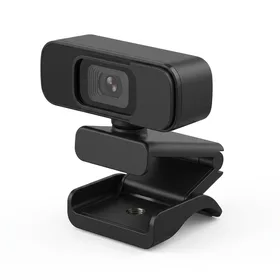
NexiGo N660 1080P Business Webcam
Best for: Best budget webcam for remote workers on a tight budget
At $39.99, the NexiGo N660 delivers roughly 80% of the Logitech C920x experience for $30 less. The best budget webcam you can buy right now.
If you do not want to spend $70 on a webcam and your home office has reasonable lighting (a window or desk lamp), the NexiGo N660 is the best webcam under $50 by a wide margin. It shoots 1080p video, includes dual noise-canceling microphones, and has a physical privacy cover, all for $39.99.
The image quality in well-lit rooms is genuinely impressive for the price. Colors are accurate, skin tones look natural, and the autofocus locks on your face quickly. The 14,016 reviews on Amazon confirm this is not a fluke: thousands of remote workers use this webcam daily and rate it 4.5 stars.
The catch is low-light performance. Without a dedicated light source, the N660 produces noticeably more grain than the Logitech C920x. If your desk faces a window, you will be fine. If you work in a dim basement office, budget an extra $30 for a ring light (we recommend one below) or step up to the Logitech.
The dual microphones work well for one-on-one calls but struggle slightly in larger rooms. If you are calling from a standard desk setup where you sit two to three feet from the camera, audio quality is more than adequate.
The NexiGo N660 is the best budget webcam in 2026. For $39.99, you get 1080p video, dual mics, and a privacy cover. Hard to beat for the price.
3. Logitech C922 Pro Stream: Best Webcam for Streaming and Presentations
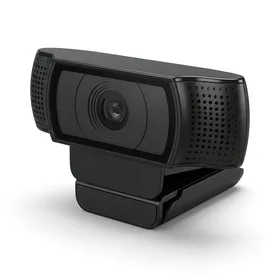
Logitech C922 Pro Stream Webcam
Best for: Best webcam for streaming, webinars, and presentations
The C922 is purpose-built for people who present, stream, or record video content. If your work involves webinars or client-facing presentations, the smoother video and background replacement are worth having. At $62.00 it now undercuts the C920x by $7.99.
The Logitech C922 shares its DNA with the C920 line but adds two features that matter for anyone who does more than standard video calls: 60fps video (at 720p) and built-in background replacement.
The 60fps mode makes a visible difference during screen sharing and presentations where you are moving your hands or demonstrating products. At 30fps, fast hand movements blur slightly. At 60fps, everything stays crisp. The tradeoff is resolution: 60fps only works at 720p, not 1080p. For presentations where clarity of motion matters more than pixel density, that is the right call.
Background replacement is the other selling point. Using Logitech Capture software, you can remove or replace your background without a green screen. The edge detection is not perfect (fine hair strands still cause some artifacting), but it is good enough for professional calls where you do not want your messy living room on display.
Low-light performance is noticeably better than the C920x. Logitech tuned the C922 sensor for streaming setups that often rely on ring lights rather than natural sunlight, and the automatic light correction smooths out harsh shadows effectively.
The included desktop tripod is a nice bonus. It lets you position the camera at eye level on your desk rather than perching it on top of your monitor, which often creates an unflattering downward angle.
4. Logitech C920 HD Pro: The Proven Classic

Logitech HD Pro Webcam C920
Best for: Best proven webcam with the largest review base
The original C920 remains a reliable 1080p webcam with the largest review base of any model on Amazon. At $68.00 it now sits within $2 of the C920x, so unless you catch the C920 on sale, spend the extra $1.99 and get the privacy shutter.
With 26,429 reviews and a 4.6-star average, the Logitech C920 is the most reviewed webcam on Amazon for a reason. It has been the default recommendation for remote workers since the early days of widespread work from home, and the core formula has not changed: sharp 1080p video through Carl Zeiss optics, competent dual microphones, and a sturdy clip that grips any display.
The image quality is virtually identical to the C920x. Logitech uses the same sensor and lens assembly in both models. The difference comes down to the privacy shutter (C920x has one, the C920 does not) and a $1.99 price gap. That gap used to be $10, which made the C920 the value pick. It no longer is: for the price of a coffee you may as well take the newer model with the lens cover.
Plug-and-play compatibility is excellent. The C920 works natively on Windows, macOS, and Chrome OS without installing any software. Logitech offers optional software (Logi Tune) for adjusting brightness, contrast, and zoom, but it is not required for basic use.
The comparison everyone asks about: Logitech C920 vs C922. The C920 has five times more reviews, but it now costs $6.00 more than the C922, which adds 60fps at 720p and background replacement. That reverses the usual advice. At today's prices the C922 is the better buy for almost everyone. The C920 makes sense only if you specifically want the model with the longest track record.
5. Hrayzan 1080P Webcam: Best Webcam Under $20
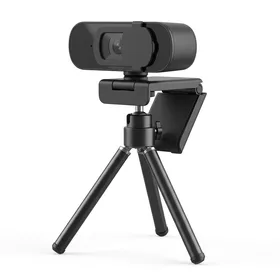
Hrayzan 1080P HD Webcam with Privacy Cover and Tripod
Best for: Best ultra-budget webcam for basic video calls
At $19.99, the Hrayzan delivers functional 1080p video for casual calls. It is not going to impress anyone on a client presentation, but for internal team standups and quick check-ins, it gets the job done.
Not everyone needs a $70 webcam. If you take video calls a few times per week and your laptop camera is genuinely bad, the Hrayzan 1080P webcam costs $19.99 and is a meaningful upgrade. It is the best webcam under $20 that we would actually recommend.
The 1080p resolution is real, but "1080p" does not tell the whole story. The sensor is smaller than what Logitech uses, so the image is softer and noisier, especially in low light. In a well-lit room, the difference between the Hrayzan and a $70 Logitech is visible but not dramatic. In a dim room, the gap widens significantly.
The included privacy cover and mini tripod are thoughtful additions at this price. The tripod is basic (plastic, about six inches tall) but works fine on a desk. The privacy cover slides smoothly and stays in place.
The single microphone is the biggest limitation. It picks up your voice adequately but does not reject background noise the way dual-mic setups do. If you have roommates, kids, or a noisy HVAC system, you will want to pair this with a headset.
For students, occasional remote workers, and anyone who just needs something better than a laptop camera without spending much, the Hrayzan is the right call.
6. Logitech Litra Glow + C922x Bundle: Best Premium Webcam Setup
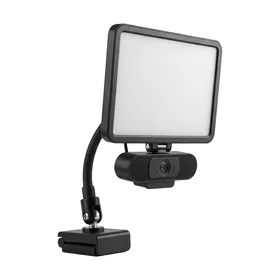
Logitech Litra Glow Premium LED Streaming Light with C922x Pro Stream Webcam
Best for: Best all-in-one webcam and lighting bundle for professionals
If you spend significant time on camera for client calls, webinars, or content creation, this bundle solves two problems at once. The Litra Glow alone transforms how you look on video. At $178.37 the bundle no longer undercuts buying the webcam and the light separately, so price both before you commit.
The single biggest improvement you can make to your video call appearance is not a better camera. It is better lighting. The Logitech Litra Glow + C922x bundle pairs one of the best 1080p webcams with a professional-grade LED light for $178.37.
The Litra Glow uses Logitech's TrueSoft technology, which diffuses the LED output to mimic soft, natural light. The result is dramatically fewer harsh shadows under your eyes and chin compared to overhead room lighting or a basic ring light. Color temperature adjusts from 2700K (warm, like candlelight) to 6500K (cool, like daylight), so you can match whatever ambient light your room already has.
The C922x webcam in this bundle is functionally identical to the standalone C922 Pro Stream. You get 1080p/30fps or 720p/60fps, dual microphones, and Logitech Capture software for background replacement.
This bundle makes the most sense for professionals who are regularly on camera with clients or prospects, remote managers who lead team meetings daily, and anyone creating video content like course recordings or YouTube videos. If your webcam usage is a few internal standups per week, the C920x at $69.99 is the smarter buy.
Essential Webcam Accessories Worth Adding
Two accessories can meaningfully improve your setup without spending much.
A USB extension cable (AINOPE 10FT USB 3.0, $7.60, 4.7 stars from 22,757 reviews) gives you flexibility to position your webcam on a tripod or shelf away from your computer. Most webcam cables are only 4 to 5 feet long, which limits placement options.
A webcam privacy cover (CloudValley Ultra-Thin 2-Pack, $2.82, 4.6 stars from 38,747 reviews) is worth adding to any webcam that does not include a built-in shutter. At 0.023 inches thin, these metal slides do not interfere with closing your laptop lid.
Best Webcams Compared: Side by Side
Who Should Upgrade From a Laptop Camera?
The honest answer: almost everyone who takes video calls more than twice per week. The webcam vs laptop camera gap is not subtle. Even a $20 dedicated webcam captures more light, produces sharper detail, and offers a wider field of view than the pinhole camera built into most laptops.
The exception is recent MacBook Pro and MacBook Air models (2022 and later), which use a 1080p camera that is genuinely competent. If you own one of those machines, you may not need a separate webcam unless you want features like background replacement, a tripod mount, or adjustable positioning.
For everyone else, the upgrade path is straightforward. Spend $39.99 on the NexiGo N660 if budget is the priority. Spend $69.99 on the Logitech C920x if you want the best overall value. And if you are regularly presenting to clients or recording content, the $178.37 Litra Glow bundle will make you look noticeably more professional than a webcam alone.
Webcam Lighting Tips (Free Improvements)
Before you spend money on a dedicated light, try these zero-cost adjustments. Face a window during calls so natural light hits your face from the front. Move any light source behind your monitor so it illuminates you, not the wall behind you. Close blinds or curtains behind you to reduce backlighting that makes your face appear dark. These three changes alone can make even a budget webcam look dramatically better on video.
If natural light is not an option (basement offices, evening calls), a basic ring light like the 10-inch Ring Light with Tripod ($29.99, 4.2 stars from 11,726 reviews) is the most affordable upgrade. Position it directly behind your monitor for the most flattering, even illumination. The best webcam lighting for video calls is always front-facing and diffused.