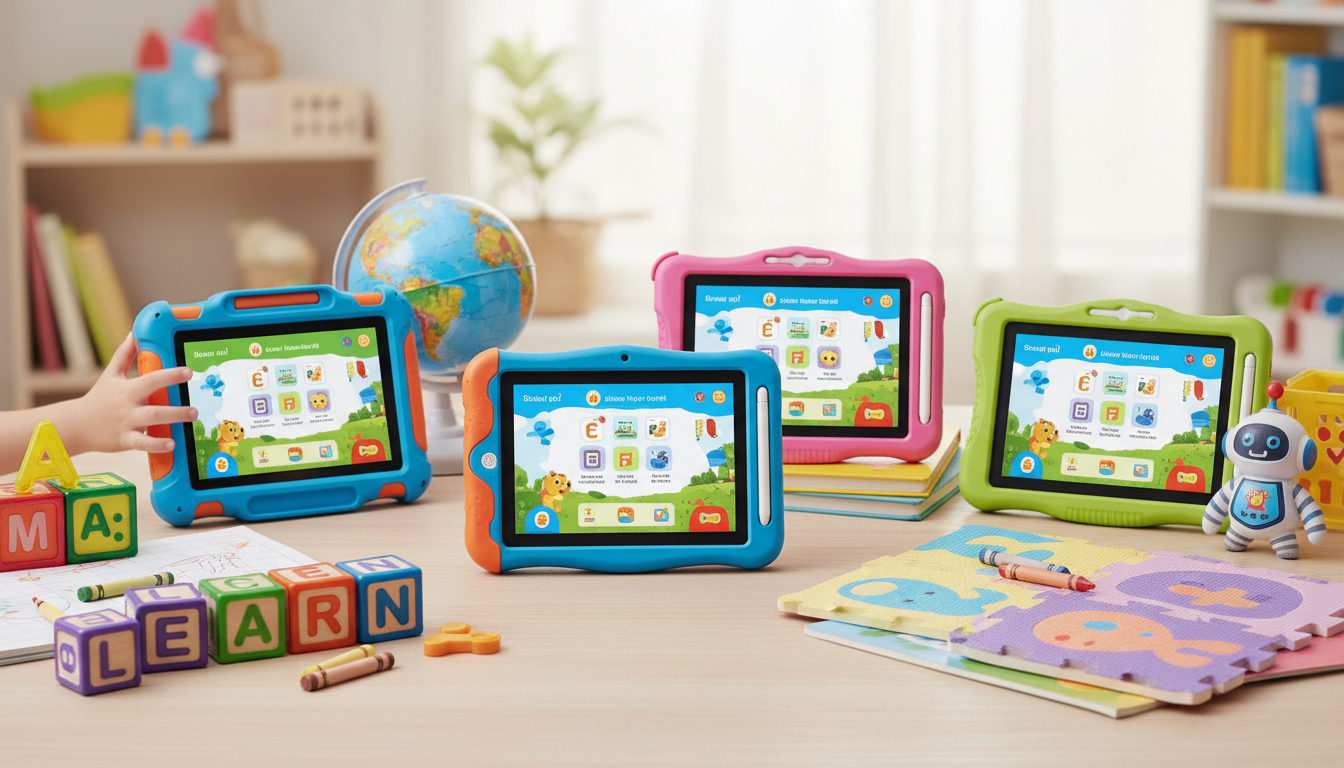
We compared every major kids tablet on Amazon, analyzed over 350,000 parent reviews, and narrowed the field to the best tablets for kids in 2026. Whether you need the best tablet for toddlers just learning to swipe or a learning tablet for a 7-year-old tackling math apps, we have a pick for every age and budget.
How We Picked the Best Kids Tablets for Learning
We started with every kids tablet available on Amazon with at least 4,000 reviews, then filtered by three criteria that matter most to parents.
Durability and kid-proofing. Tablets for kids need to survive drops, spills, and the occasional throw across the room. We prioritized devices with thick bumper cases and manufacturer replacement guarantees.
Parental controls. The best tablet for kids with parental controls lets you set screen time limits, filter content by age, and monitor usage without requiring a computer science degree. Amazon's Parent Dashboard remains the gold standard here.
Educational content value. A kids tablet is only as good as the apps and content it unlocks. We evaluated the included subscription libraries (Amazon Kids+, in particular) for depth of educational apps, books, and videos across age groups.
We also factored in screen quality, battery life, storage, and price. Every tablet below has been verified against current Amazon pricing and real parent reviews as of March 2026.
The four Amazon Fire Kids tablets in our lineup have a combined 683,000+ parent reviews with an average rating of 4.6 stars. No other kids tablet brand comes close to this volume of verified feedback. feedback.
1. Amazon Fire HD 8 Kids Tablet: Best Overall
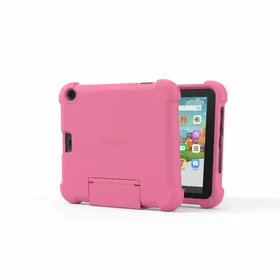
Amazon Fire HD 8 Kids Tablet (32 GB, Pink)
Best for: Best overall kids tablet for ages 3-7
The best kids tablet 2026 for most families. The combination of a quality screen, Amazon Kids+ content, and a free replacement guarantee makes this the safest bet.
The Fire HD 8 Kids hits the sweet spot between price and performance. The 8-inch HD display is large enough for comfortable reading and video watching without being so big that small hands struggle to hold it. At $69.99, you are getting a tablet that would cost over $110 if you bought the standard Fire HD 8 and added a case plus an Amazon Kids+ subscription separately.
The parental controls deserve special mention. Amazon Parent Dashboard lets you set daily time limits, create educational goals (for example, requiring 30 minutes of reading before games unlock), and review activity by child. You can set up individual profiles for multiple kids, each with age-appropriate content filters.
The 32 GB storage is adequate for apps and books, though you will want to manage downloaded videos carefully. There is no expandable storage on the Kids edition, which is the one real limitation.
Also available in purple (B07WFLBX6Q) at the same price if your child has a color preference.
2. Amazon Fire 7 Kids Tablet: Best Under $50
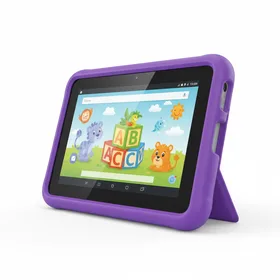
Amazon Fire 7 Kids Tablet (16 GB, Purple)
Best for: Best budget kids tablet under $50
The best tablet for toddlers and preschoolers on a budget. If your child is under 5, save the $20 and start here.
With nearly 226,000 reviews and a 4.5 star average, the Fire 7 Kids is the most reviewed kids tablet on Amazon by a wide margin. That volume of feedback tells you something: parents keep buying it because it works.
The $49.99 price point makes this the go-to kids tablet under $50. You still get the thick kid-proof bumper case, the 2-year replacement guarantee, and the full year of Amazon Kids+ with thousands of books, apps, games, and videos. For a child aged 3 to 5 who mostly watches educational videos and plays simple learning games, the smaller screen and lower resolution are not dealbreakers.
Where the Fire 7 falls short is for kids aged 6 and up who want to read longer books, play more complex games, or watch videos for extended periods. The 7-inch screen starts to feel small, and the lower resolution becomes noticeable side by side with the HD 8. If your child is already 5 or 6, spending the extra $20 on the Fire HD 8 is worth it for the screen upgrade alone.
Also available in pink (B07H8ZCSL9) with identical specs.
3. Amazon Fire HD 8 Kids Bundle: Best Value Bundle
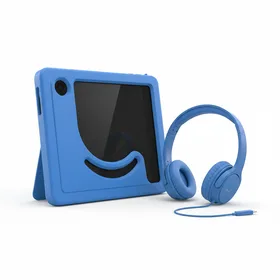
Amazon Fire HD 8 Kids Tablet Bundle (32 GB, Blue) with Sleeve and Headset
Best for: Best all-in-one bundle for road trips and travel
A smart buy if you need the tablet plus accessories for travel. The convenience factor is real, especially as a gift.
This bundle pairs the Fire HD 8 Kids tablet (same device as our number one pick) with a zippered carrying sleeve and a set of kids headphones. If you are buying a tablet for road trips, airplane travel, or just to keep in a bag for restaurant outings, having everything in one box saves you the hassle of researching accessories separately.
The included headphones cap volume at 85 dB, which is the threshold recommended by the World Health Organization for children's hearing safety. They are wired (3.5mm jack), so there is no battery to charge or Bluetooth to pair. For young kids, that simplicity is a feature, not a limitation.
At $131.96, you are paying roughly $62 more than the standalone tablet. The sleeve and headphones together would run about $25 to $30 if purchased separately, so the bundle premium is modest. If this is a birthday or holiday gift, the bundle makes an excellent complete package.
Also available in pink (B09GX8GDTL).
4. Kindle Kids: Best Tablet for Reading
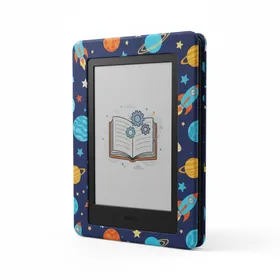
Kindle Kids with Parental Controls (Space Cover)
Best for: Best for kids who love reading (ages 6-12)
The best learning tablet for kids who are ready to read independently. If your goal is building a reading habit without screen time guilt, this is it.
The Kindle Kids is not a traditional tablet. It is a dedicated e-reader with a glare-free e-ink display, which means no games, no YouTube, and no distractions. For parents who want to encourage reading without adding another screen time battle, this is the answer.
The included year of Amazon Kids+ gives your child access to over a thousand age-appropriate books, from chapter books and graphic novels to educational nonfiction. The Word Wise feature provides short definitions above difficult words, helping kids build vocabulary as they read. Achievement badges gamify the reading experience just enough to keep kids motivated.
Battery life is where the Kindle Kids truly separates itself from tablets. A single charge lasts weeks of regular reading, compared to 8 to 10 hours for a Fire tablet. You can toss it in a backpack and forget about charging.
This is the best tablet for a 7 year old or older child who already enjoys reading or whose parents want to cultivate that habit. It is not the right choice for toddlers or kids who need interactive learning apps with video and audio content.
Also available with a pink cover (B07NMXMTWM).
Amazon Kids+ includes over 20,000 books, apps, games, and videos for children ages 3 to 12. The reading library alone contains more than 1,000 chapter books, which would cost over $5,000 if purchased individually on Kindle.
5. Essential Accessories for Kids Tablets
A tablet is only part of the equation. These accessories scored highest with parents and pair perfectly with any Fire Kids tablet.
Best Kids Headphones
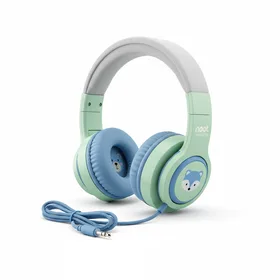
noot products K11 Kids Headphones
Best for: Best budget headphones for kids tablets
At $20.99 with over 31,000 reviews, these are the headphones most parents trust. Still an easy add-on for any kids tablet.
Best Car Mount for Tablets
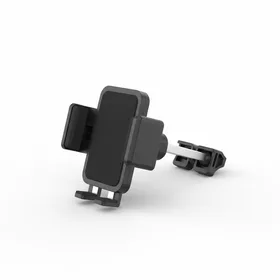
Tryone Car Headrest Tablet Mount
Best for: Best car mount for backseat tablet use
Essential for road trips. Mount the tablet to the headrest and enjoy a peaceful drive.
Replacement Charger
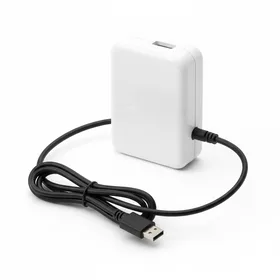
Kindle Fire Replacement Charger (UL Listed)
Best for: Best replacement or second charger for Fire tablets
A reliable spare charger to keep in the car or travel bag. At $13.99, worth having as a backup.
iPad vs Fire Tablet for Kids: Which Is Better?
This is the question parents ask most, and the honest answer depends on your budget and priorities.
The Amazon Fire HD 8 Kids at $69.99 comes with a case, a 2-year replacement warranty, and a year of Amazon Kids+ built into the price. An equivalent iPad setup (base iPad at $329 plus a kid-proof case at $30 plus parental control setup) runs over $360 before you add any content subscriptions.
Where iPads win is app selection and long-term versatility. The Apple App Store has a far deeper library of educational apps, and an iPad grows with your child into their teen years. A Fire tablet is purpose-built for younger kids and starts to feel limited around age 10.
Our recommendation: for kids ages 3 to 8, start with a Fire Kids tablet. The price is low enough that you will not panic when it gets dropped, and the content library is more than sufficient for that age range. If your child is 9 or older and you want a device that lasts through middle school, consider an iPad.
How to Get the Most From a Kids Tablet
Set educational goals first. Amazon Parent Dashboard lets you require a set amount of reading or educational app time before games and videos unlock. Even 15 minutes of required reading per day adds up to over 90 hours of reading per year.
Download content before trips. Fire tablets let you download books, videos, and apps for offline use. Load up content the night before a road trip or flight so you are not dependent on Wi-Fi.
Create separate profiles for each child. If siblings share a tablet, individual profiles ensure each child sees age-appropriate content and their own reading progress. The Fire HD 8 supports multiple child profiles at no extra cost.
Use the 2-year guarantee. Amazon replaces broken Fire Kids tablets for free within two years, no questions asked. Do not waste money on additional insurance or extended warranties.
The Amazon Fire HD 8 Kids is the best tablet for kids in 2026. At $69.99 with a free case, a year of Amazon Kids+, and a 2-year replacement guarantee, no other kids tablet delivers this much value. Start here unless your child is a dedicated reader (get the Kindle Kids) or you need the absolute lowest price (get the Fire 7).