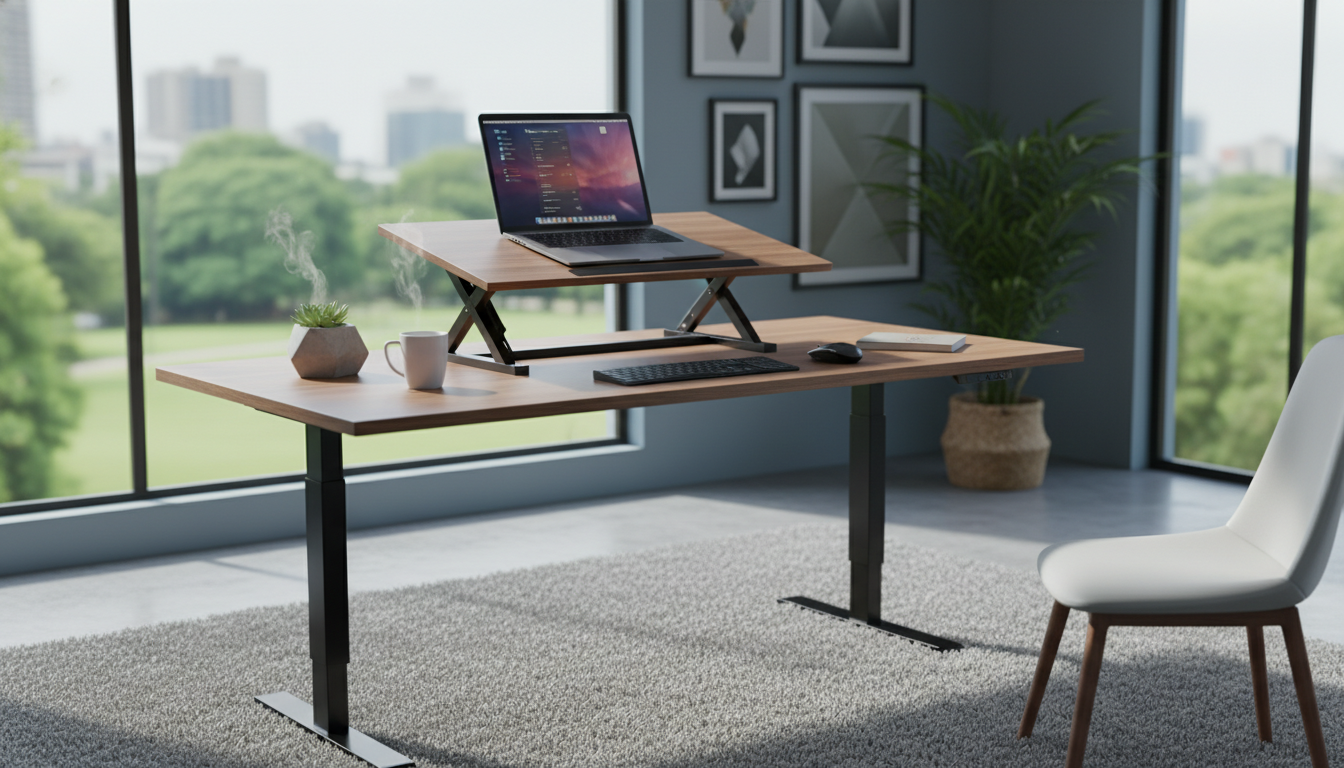
We compared 8 monitor stand risers across price, stability, adjustability, and storage to find the best desk riser for every setup and budget. Whether you need a standing desk converter alternative, a dual monitor platform, or a simple laptop riser under $20, these eight picks cover the full range.
A good monitor stand riser does more than lift your screen a few inches. It brings your display to eye level (reducing neck strain), frees up desk space underneath, and often adds storage for keyboards, notebooks, or cables. For anyone working from a home office, a quality desk riser is one of the cheapest ergonomic upgrades you can make.
How We Picked These Monitor Stand Risers
We started with over 40 monitor stand risers and desk risers available on Amazon, then narrowed down based on four criteria:
Build quality and stability. A wobbly riser is worse than no riser at all. We prioritized stands made from steel, solid wood, or reinforced composites, and we checked review complaints for wobble or tipping issues.
Height and adjustability. The ideal monitor height places the top of your screen at or just below eye level. We looked for risers that offer either fixed heights in the right range (4 to 6 inches) or adjustable height settings.
Desk footprint and storage. A riser should save space, not consume it. We favored designs that add usable storage underneath for keyboards, mice, or office supplies.
Value per dollar. Every riser on this list costs under $50. We weighed features against price to find the best value at each tier. the best desk riser at each budget tier.
1. VIVO 39-Inch Extra Long Monitor Stand
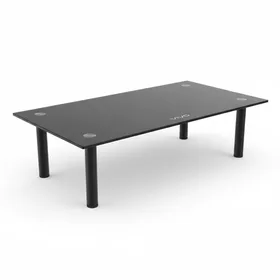
VIVO 39-Inch Extra Long Monitor Stand
Best for: Best overall for dual monitor setups
The best sit stand desk converter companion for anyone running a dual monitor setup who wants one unified, stable platform.
The VIVO 39-inch stand is the clear winner for dual monitor users. At nearly 40 inches wide, it holds two 24-inch or 27-inch monitors without crowding. The steel frame and wood surface give it a weight capacity well beyond what most monitors require, and 4,235 reviewers confirm that wobble is not an issue.
The fixed height of about 4.25 inches works well for most seated desk setups. If you need more elevation, stacking it on a small shelf or adding rubber feet can bridge the gap. The space underneath fits a full-size keyboard and mouse, effectively giving you back that entire footprint of desk real estate.
At $43.99, this is the most expensive option on our list, but the build quality and width justify the premium. If you are running a single monitor, you do not need this much platform. Scroll down for smaller, cheaper options. This is the riser we recommend to anyone who asks, "Is a standing desk converter worth it if I just want better posture?" Before spending $200 or more on a full sit stand desk converter, try a $16 monitor riser first. For many people, the problem is not that they need to stand while working. The problem is that their monitor sits too low on the desk, forcing them to hunch forward.
The Amazon Basics stand fixes this with three adjustable height settings (about 3.5, 4.5, and 5.5 inches). That range covers most seated ergonomic needs. The 16,451 reviews speak for themselves: this thing works, it is stable, and it ships fast.
The trade-off is material. This is molded plastic, not wood or steel. It does the job without looking particularly elegant. If aesthetics matter to your workspace, consider the wood options below. If you need two risers (one for each monitor, or one for a monitor and one for a laptop), this 2-pack is hard to beat. At $24.79 for both, you are paying roughly $12.40 per stand, which is less than a single Amazon Basics riser.
The black metal construction gives these a more professional look than plastic alternatives, and reviewers consistently highlight the stability. With a 4.8 average across nearly 10,000 reviews, this is the highest-rated product in our roundup.
The downside is flexibility. These are fixed-height platforms with no storage shelf underneath. If you need height adjustment or a keyboard tray, look at the Amazon Basics or the wood two-tier options below.
4. FITUEYES Dual Monitor Stand (3-Shelf)
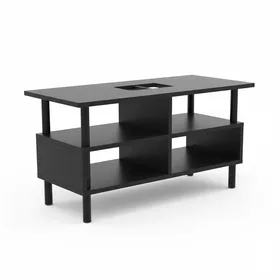
FITUEYES Dual Monitor Stand (3-Shelf)
Best for: Best for desk organization and storage
The best standing desk converter alternative for people who want their desk riser to double as a desk organizer.
The FITUEYES takes a different approach from simple platform risers. Instead of one flat surface, it offers three tiers: a wide top shelf for your monitors, a middle shelf for a phone or small items, and a lower shelf for notebooks or supplies. This design turns dead desk space into functional storage.
At $29.99, it costs about twice what a plain plastic platform riser does, but you are buying storage as well as elevation. The wood surface looks better than plastic in a home office setting, and the 6,107 reviews indicate solid long-term durability.
The catch is assembly. Unlike single-piece risers that work out of the box, the FITUEYES requires screwing multiple pieces together. Budget 15 to 20 minutes. Once built, though, it is sturdy and does not wobble.
5. HUANUO Monitor Stand Riser
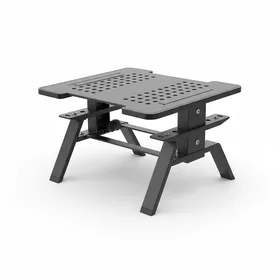
HUANUO Monitor Stand Riser (3 Height Settings)
Best for: Best adjustable riser for laptops
A strong alternative to the Amazon Basics riser with slightly better laptop compatibility and airflow design.
The HUANUO is nearly identical to the Amazon Basics riser in function: three height settings, plastic construction, and a sub-$20 price point. The key difference is the ventilated surface design, which makes it a better choice if you plan to use it as a laptop stand. The perforated platform allows airflow underneath your laptop, helping prevent overheating during long work sessions.
With 14,059 reviews and a 4.7 average, buyer satisfaction matches the Amazon Basics. Choose the HUANUO if you are looking for a standing desk converter for laptop use specifically. Choose the Amazon Basics if you are strictly elevating a desktop monitor.
6. AMERIERGO Dual Monitor Stand
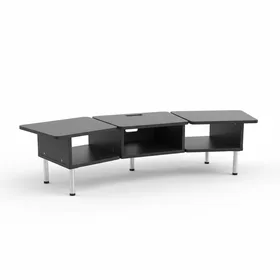
AMERIERGO Dual Monitor Stand (Adjustable Length and Angle)
Best for: Best adjustable dual monitor riser under $30
The only riser here with both length and angle adjustment, making it ideal for desk setups that need a custom fit.
The AMERIERGO stands out for one reason: adjustability. While most risers on this list are fixed platforms, this one lets you extend the length from 16.5 inches to 27.5 inches and tilt the angle. That makes it uniquely flexible if your desk setup is non-standard or you frequently rearrange your workspace.
The mesh metal surface is functional but polarizing. It promotes airflow (good for laptops) but can feel less stable under heavy monitors compared to solid wood or steel platforms. At $29.99, it now sits at the top of the mid-priced tier alongside the FITUEYES, so the adjustable length and tilt are the reason to pick it. Just know that you are trading some build solidity for flexibility.
7. Two-Tier Wood Monitor Riser with Storage
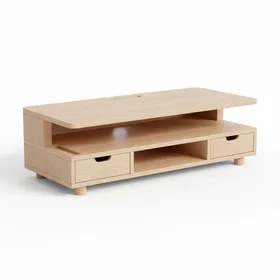
Two-Tier Wood Monitor Riser Stand with Storage Organizer
Best for: Best looking riser for a home office
The best desk riser for anyone who wants function and aesthetics in a home office setup under $30.
If your home office doubles as a living space (or you simply care about how your desk looks on video calls), this wood riser is the pick. The natural bamboo-style finish and built-in organizer compartments look noticeably better than plastic or metal alternatives. The side slots fit a phone, pens, sticky notes, or small accessories, keeping your desk surface clean.
At $25.99, this still costs less than the AMERIERGO while offering built-in storage that no other riser on this list matches. The trade-off is that the height is fixed and there is no angle adjustment. If your ergonomic needs are straightforward (you just need 4 to 5 inches of elevation), this is a great choice.
Full Comparison: All 7 Monitor Stand Risers
Standing Desk Converter vs. Monitor Stand Riser: Which Do You Need?
A common question is whether you need a full standing desk converter (typically $150 to $400) or a simpler monitor stand riser (under $50). Here is a quick breakdown:
Choose a monitor stand riser if: your primary goal is reducing neck strain, improving posture while seated, freeing up desk space, or adding storage to your workspace. A $16 to $44 riser solves all of these problems immediately.
Choose a full standing desk converter if: you specifically want to altealternate between sitting and standing throughout the day. A sit stand desk converter raises your entire work surface (monitor, keyboard, mouse) to standing height and lowers it back down. That is a fundamentally different product category with a higher price tag.
For most home office workers, a quality monitor stand riser is the smarter first purchase. It costs 90% less than a standing desk converter and addresses the most common ergonomic complaint: a monitor positioned too low on the desk.
Tips for Getting the Most from Your Monitor Stand Riser
Here are three quick ergonomic tips to pair with your new riser:
-
Position the top of your screen at eye level. This is the single most important adjustment. If your riser does not get you there, stack a book or two underneath it.
-
Keep your screen 20 to 26 inches from your eyes. Too close causes eye strain. Too far forces you to lean forward. An arm's length is the classic rule of thumb.
-
Tilt the screen back 10 to 20 degrees. A slight backward tilt reduces glare and keeps the viewing angle comfortable for your neck.
A monitor stand riser is one of the best home office investments under $50. The VIVO 39-Inch wins for dual monitor setups, while the Amazon Basics is the best value for single monitor users at just $15.80.