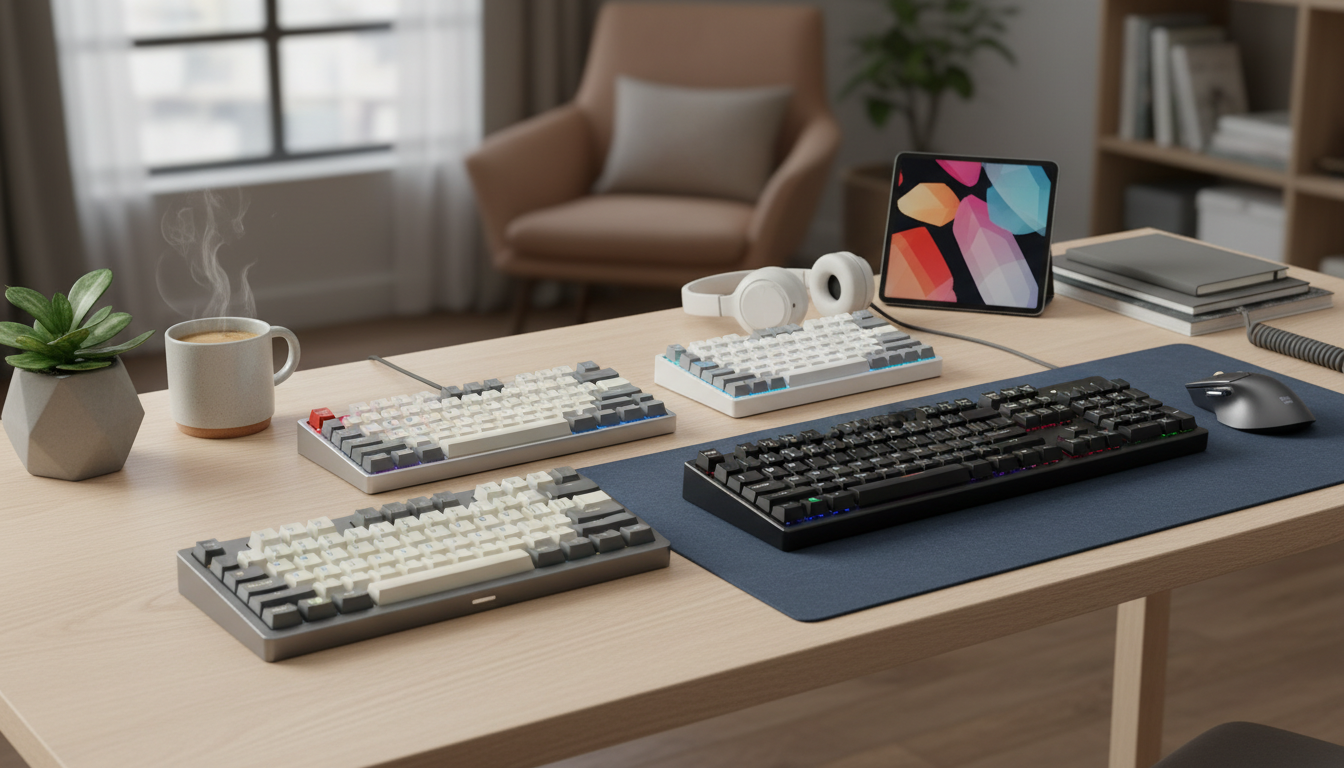
You do not need to spend $150 or more to get a great mechanical keyboard in 2026. We compared 7 of the best mechanical keyboards on switch type, build materials, keycaps, layout, connectivity plus price. All seven sit under $100 as of our August 2026 price check. Whether you need a compact 60% board for gaming or a full-size layout with a number pad for daily work, there is a strong option here for every budget starting at just $33.
How We Picked the Best Mechanical Keyboards Under $100
We started with a pool of bestselling mechanical keyboards on Amazon, all priced below $100 at the time of selection and backed by at least 6,000 verified reviews. From there, we narrowed the field using four criteria:
Switch quality and feel. The entire point of a mechanical keyboard is the switch experience. We evaluated the type of switch (linear, tactile, or clicky), the actuation force and how consistent the keypresses feel across the board. Budget keyboards with mushy or inconsistent switches were eliminated.
Build quality and durability. A cheap keyboard that falls apart in six months is not a deal. We looked at frame materials (aluminum vs. plastic), keycap quality (PBT vs. ABS) and user reports on long-term durability across thousands of reviews.
Features per dollar. RGB lighting, USB passthrough, detachable cables, wireless connectivity, software customization: we weighed which features actually matter at this price point and which are marketing fluff.
Real-world user feedback. Star ratings tell only part of the story. We read through hundreds of reviews to identify recurring praise and complaints, paying special attention to feedback from users who have owned the keyboard for more than six months.
Six of the seven keyboards here carry 49,720 ratings between them at an average of 4.63 stars, with no pick rating below 4.5. The floor matters more than the average: under $100 the real risk is a board that only a few hundred people have tried, so every keyboard we hold a rating for clears a rating bar as well as a volume bar.
1. Corsair K70 RGB MK.2: Best Overall Mechanical Keyboard Under $100
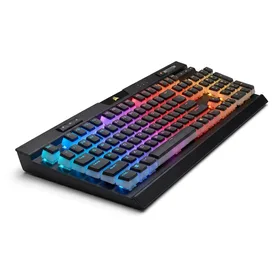
Corsair K70 RGB MK.2 Mechanical Gaming Keyboard
Best for: Best overall for most people who want a full-size mechanical keyboard
The K70 RGB MK.2 delivers the best combination of build quality, switch feel and features under $100. If you have the desk space for a full-size board, this is the one to buy.
The Corsair K70 RGB MK.2 is the keyboard that makes you wonder why anyone spends more than $100. The aluminum frame gives it a heft and rigidity that plastic keyboards simply cannot match and you feel that quality the moment you pull it out of the box.
Cherry MX switches (available in Red, Blue, Brown and Speed variants) provide the gold standard of mechanical switch feel. The Red switches are ideal for gaming with their smooth linear action, while Brown switches offer a tactile bump that typists prefer. Across 8,316 reviews, users consistently praise the typing feel and the durability of the switches, with many reporting 2 to 3 years of heavy daily use without issues.
The dedicated media controls (volume roller and playback buttons) are a luxury you rarely find at this price. The USB passthrough port is genuinely useful for charging a phone or connecting a mouse. And Corsair's iCUE software, while occasionally heavy on system resources, offers some of the deepest RGB and macro customization available.
The main downside is the ABS keycaps. They feel fine out of the box, but develop a shiny, greasy texture after several months of use. A set of aftermarket PBT keycaps ($20 to $30) solves this problem entirely and is a worthwhile upgrade. The full-size layout also means this keyboard needs about 17.5 inches of desk width, which may not work for tighter setups.
The Corsair K70 RGB MK.2 is the best mechanical keyboard under $100 for users who want Cherry MX switches, a metal build and full-size functionality without spending $150 or more.
2. RK ROYAL KLUDGE RK61 Wired: Best Budget Mechanical Keyboard
RK ROYAL KLUDGE RK61 Wired 60% Mechanical Gaming Keyboard
Best for: Best budget mechanical keyboard for beginners and compact desk setups
At $43, the RK61 Wired delivers mechanical switch quality that rivals keyboards costing twice as much. The best entry point into mechanical keyboards.
The RK ROYAL KLUDGE RK61 is the best cheap mechanical keyboard you can buy and it is not even close. At $42.99, it costs less than most membrane gaming keyboards while delivering a genuinely excellent mechanical typing experience.
The standout feature is hot-swappable switches. If you decide you prefer a different switch type (say, swapping from Blue clicky switches to Red linear switches), you can pull the switches out and replace them without any soldering. This is a feature typically found on keyboards costing $80 or more. For a mechanical keyboard beginner who is not sure which switch type they prefer, this flexibility is invaluable.
The 60% layout eliminates the number pad, function row and arrow keys, which takes some getting used to. Arrow keys and function keys are accessible through key combinations (Fn + other keys) and most users report adapting within a week. The compact footprint (roughly 11.5 inches wide) frees up significant desk space, which is especially beneficial for gamers who need room for wide mouse movements.
Build quality is surprisingly solid for the price. The plastic case is sturdy with no flex and the included keycaps, while not premium PBT, hold up well for months of regular use. The RGB lighting offers multiple preset patterns and looks impressive in person.
The RK61 Wired holds 8,602 ratings at 4.7 stars, above the 4.63 average across the six rated boards in this roundup. Rating volume at that scale is the strongest durability signal available short of long-term testing: a keyboard with widespread reliability problems rarely holds 4.7 stars across thousands of buyers. Reaching that at $42.99 is the whole argument for this pick.
3. Logitech G413 SE: Best Gaming Keyboard With PBT Keycaps
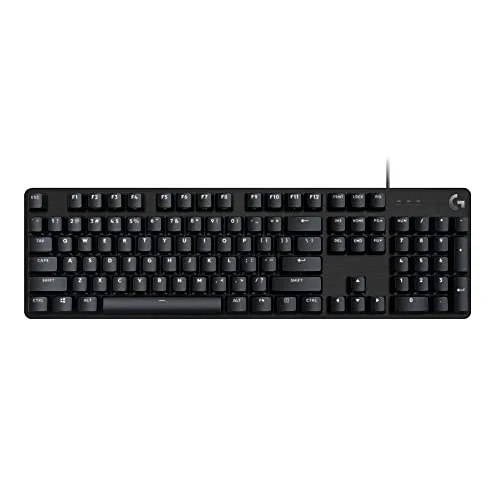
Logitech G413 SE Full-Size Mechanical Gaming Keyboard
Best for: Best for gamers who want keycaps that stay matte plus a keyboard with nothing to configure
The pick for a gamer who cares more about keycaps that stay matte for years than about lighting effects. You give up RGB plus media controls to get there.
The Logitech G413 SE is the plainest keyboard in this roundup. One color of backlight (white), no volume roller, no macro column, nothing to configure. What it does have is the upgrade almost every keyboard under $100 skips: PBT keycaps.
PBT plastic is denser and more textured than the ABS plastic used on the Corsair K70, the HyperX Alloy Origins 60 plus nearly everything else at this price. ABS caps go shiny where your fingers land, usually first on the WASD cluster and the space bar. PBT caps hold their texture far longer. If you game several hours a day, those are exactly the keys that show wear first, so the keycap material matters more than the spec sheet suggests.
The top case is an aluminum-magnesium alloy plate over a plastic body, which keeps the board rigid and heavy enough to stay planted during fast mouse work. The switches are Logitech's own tactile design: a bump partway down the keypress with no click sound. That makes this a workable board for a shared room in a way the clicky picks here are not; it suits typing as much as gaming.
The catch is what you give up at $84.99, which is more than the Corsair K70 costs today. There is no USB passthrough, no dedicated media controls, no per-key lighting, no hot-swap sockets. If you want any of those, the K70 is the better buy at $80.56. Choose the G413 SE only if durable keycaps plus a keyboard that needs no software are what you are actually after.
4. Razer Huntsman Mini 60% (Clicky Optical): Best for Typists Who Want Feedback
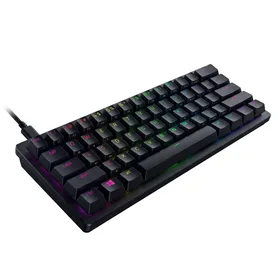
Razer Huntsman Mini 60% Gaming Keyboard (Clicky Optical Switches)
Best for: Best clicky mechanical keyboard for typists who enjoy audible feedback
If you love the sound plus feel of a typewriter, the clicky Huntsman Mini delivers that experience with optical switch speed in a board small enough to drop in a backpack.
The Huntsman Mini pairs a 60% layout with Razer clicky optical switches, which register a keypress with a beam of light rather than metal contacts. The clicky variant produces an audible click plus a tactile bump at the actuation point, giving you clear feedback that your keypress registered.
The typing experience is genuinely enjoyable. Each keypress has a crisp, defined "click" that many typists find satisfying and productivity-boosting. If you have ever used a typewriter or an older IBM Model M keyboard, the sensation is similar (though lighter).
At $79.99 you also get doubleshot PBT keycaps, a detachable USB-C cable plus a build that feels well above the price. The legends are molded through the keycap rather than printed on top, so they will never fade. Along with the Logitech G413 SE above, this is one of only two boards here that ship with PBT caps instead of ABS.
One important note: clicky switches are loud. If you work in a shared office, take calls while typing, or game late at night near sleeping family members, the noise will be an issue. For a home office with a closed door, they are a joy. For an open floor plan, look at a quiet board instead: the linear HyperX Alloy Origins 60, the tactile Logitech G413 SE or the Corsair K70 in its Cherry MX Brown configuration.
5. HyperX Alloy Origins 60: Best Build Quality Under $100
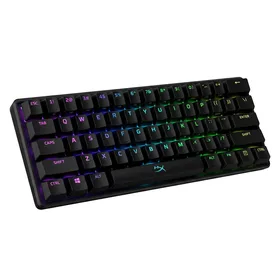
HyperX Alloy Origins 60 Mechanical Gaming Keyboard
Best for: Best premium-feeling 60% keyboard under $100
The Alloy Origins 60 gives you a full metal build, excellent switches and a carrying case for $80. It costs about the same as the full-size Corsair K70 now, so pick this one if you want the compact 60% footprint rather than because it is the cheaper board.
HyperX has quietly become one of the best value brands in mechanical keyboards and the Alloy Origins 60 is their strongest showing. The full aircraft-grade aluminum frame is the same material used in keyboards costing $120 or more and you feel it immediately. There is zero flex, zero creak and a satisfying weight that keeps the keyboard planted on your desk.
The HyperX mechanical switches are the company's in-house design, rated for 80 million keypresses (compared to the standard 50 million for Cherry MX switches). They offer a smooth linear feel that falls somewhere between Cherry MX Red and Gateron Red in terms of weight. The result is a typing experience that feels more refined than what you would expect at $80.
The included carrying case is a nice bonus for anyone who travels to LAN events, tournaments, or just wants to bring their keyboard between home and office. The detachable USB-C cable keeps things clean and portable.
The weakness here is the ABS keycaps. Like the Corsair K70, they will develop a shiny texture with extended use. A PBT keycap set upgrade is recommended after 6 to 12 months. Also note that the bottom row uses a non-standard layout, which limits your options when shopping for replacement keycaps.
6. RK ROYAL KLUDGE RK61 Wireless: Best Wireless Mechanical Keyboard Under $100
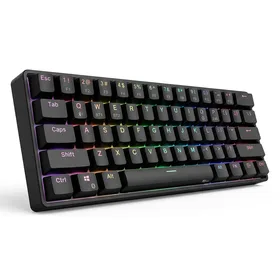
RK ROYAL KLUDGE RK61 Wireless 60% Triple Mode Mechanical Keyboard
Best for: Best wireless mechanical keyboard under $50 with triple connectivity
For $50, you get wireless freedom with three connection modes and hot-swappable switches. The best wireless mechanical keyboard under $100 if you do not need ultra-low latency for esports.
If cutting the cord is a priority, the wireless version of the RK61 is the best wireless mechanical keyboard under $100 by a comfortable margin. The triple-mode connectivity (Bluetooth 5.0, 2.4GHz dongle and USB-C wired) gives you flexibility that most budget keyboards completely lack.
The Bluetooth mode lets you pair with up to 3 devices and switch between them with a keyboard shortcut. This is ideal for users who move between a work laptop, a personal computer and a tablet throughout the day. The 2.4GHz wireless mode offers lower latency than Bluetooth (though still not as fast as wired) and is the better choice for gaming.
Like the wired version, the wireless RK61 features hot-swappable switches. You get the same customization flexibility with the added benefit of no cable. Battery life averages 10 to 15 hours with RGB lighting on and extends to roughly 200 hours with the backlight off.
The tradeoff compared to the $43 wired version is a slightly higher price ($50, so about $7 more), marginally less rigid construction (the wireless internals add some weight but also a touch of flex) and the Bluetooth latency that makes this keyboard unsuitable for serious competitive gaming. For everything else, including casual gaming, typing and general productivity, the wireless performance is excellent.
7. Havit Mechanical Keyboard and Mouse Combo: Best Combo Deal
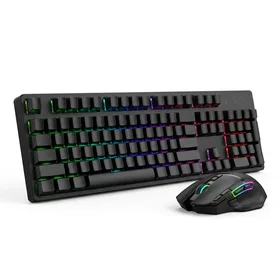
Havit Mechanical Keyboard and Mouse Combo RGB Gaming 104 Keys
Best for: Best keyboard and mouse combo for gamers on a tight budget
If you need both a mechanical keyboard and a gaming mouse for under $35, the Havit combo is the best deal available. The keyboard alone would be a good value at this price.
The Havit combo is less about getting the best possible keyboard and more about getting the best possible value. For $33.56, you receive a full-size 104-key mechanical keyboard with Blue switches and a RGB gaming mouse. The keyboard alone would be a fair deal at this price. The mouse is a bonus.
The keyboard uses Blue mechanical switches that deliver a pronounced click and tactile bump. The typing feel is satisfying and the build quality is adequate for the price. The full-size layout includes a number pad, which is essential for data entry, accounting, or anyone who works with numbers regularly.
The rainbow RGB lighting rotates through color patterns and looks surprisingly good in a dark room. It is not per-key customizable like the Corsair or Razer options, but it adds personality to the setup.
This combo is ideal for a first gaming setup, a secondary keyboard for a home office, or a gift for someone who is curious about mechanical keyboards but does not want to invest $60 or more before knowing if they will like the experience. If you enjoy it, you can upgrade to a standalone keyboard later while keeping the mouse.
How to Choose the Right Switch Type
If you are new to mechanical keyboards, the switch type is the single most important decision. Here is a quick breakdown of red vs blue vs brown switches and when each one excels.
Linear switches (Red, Optical Linear) move straight down with no bump or click. They are quiet, fast plus preferred by gamers who need rapid keypresses. The HyperX Alloy Origins 60 uses linear switches. If you primarily game or want a quiet keyboard, go linear.
Tactile switches (Brown) have a small bump partway through the keypress that tells your finger the input registered. They do not make a clicking noise. Tactile switches are the best all-rounders, equally suitable for gaming and typing. The Corsair K70 is available with Cherry MX Brown switches plus the Logitech G413 SE ships with tactile switches as standard.
Clicky switches (Blue) combine the tactile bump with an audible click sound. They are the loudest option and the most satisfying for typists who enjoy audio feedback. The Havit combo and the Razer Huntsman Mini Clicky both use clicky switches. Great for solo use, problematic in shared spaces.
If you are still unsure, hot-swappable keyboards like the RK ROYAL KLUDGE RK61 let you try different switches without buying a new keyboard. Start with one type and swap later if your preference changes.
Is a Mechanical Keyboard Worth It Over a Membrane Keyboard?
The short answer: yes, if you type or game for more than an hour a day. The difference between a mechanical keyboard and a membrane keyboard is immediately noticeable. Mechanical switches provide a consistent, defined keypress with clear feedback, while membrane keyboards feel mushy and imprecise in comparison.
Beyond feel, mechanical keyboards last significantly longer. Most mechanical switches are rated for 50 to 80 million keypresses, while membrane keyboards typically fail after 5 to 10 million. A $43 mechanical keyboard that lasts 5 years is a better investment than a $20 membrane keyboard you replace every 18 months.
The only scenarios where a membrane keyboard makes more sense are if you need a very quiet keyboard for a shared space (some membrane boards are nearly silent), or if you genuinely cannot tell the difference and do not want to spend more than $20.